
Position your device on a glass surface and begin tracing with the Draw Sketch & Trace App.
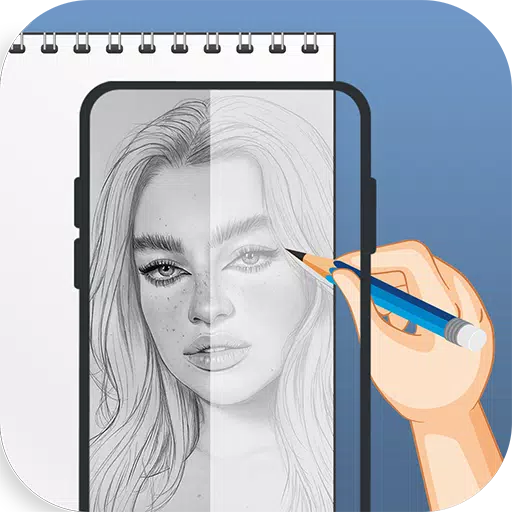
The Draw Sketch & Trace App helps you learn sketching and drawing. Simply take a photo, select an image, and trace over it. The app offers a wide collection of objects, making it easy to start tracing with a single tap. It's designed as a practical tool for sketching; just mount your device on a glass or tripod. Adjust the image's brightness, contrast, rotation, lock it in place, and start tracing line by line.
Meet Sketch AR and AR Drawing – your ultimate creative partner. Unleash your artistic potential where imagination connects with advanced technology.
Fulfill your aspiration to become a sketch artist with the Draw Sketch & Trace App. Our app is specially designed to make learning sketching, drawing, and tracing effortless on your smart device. It includes features like adjusting on-screen photos to your preference, selecting images from your gallery or camera, changing trace colors, and modifying brightness to suit your drawing needs. It's one of the best tools for easily learning to sketch and trace your own path.
How to start a sketch:
* Tap the sketch button to browse the object collection.
* Choose an object from the collection, your gallery, or your camera.
* Place your chosen object and resize it as needed.
* Set the brightness to your preferred level.
* Use the bitmap tool to remove the white background, creating a transparent overlay.
* Rotate the image and enable the flashlight for darker areas.
* Lock your device screen and begin sketching the image line by line.
* Easily transfer the design onto paper by simply following the traced lines.
How to master tracing:
* Tap the trace button and pick an object from the diverse collections.
* You can also import images directly from your camera or gallery.
* Stretch the item to fit your canvas.
* Select a background color from the available palette.
* Rotate and lock the image for a clear tracing guide.
* Adjust the object's brightness and your device's screen brightness as needed.
* A simple, effective method for learning to trace any image or object.
FEATURES:
- Draw, Sketch, and Trace to enhance your drawing abilities.
- Begin learning sketch art with this app.
- A wide variety of objects to trace line by line.
- Trace and sketch instantly captured photos or images imported from your gallery.
- Useful tools like screen lock, image rotation, brightness adjustment, and a flashlight.
- A bitmap tool to remove white backgrounds for a cleaner sketching workspace.
- The best app for learning art through practice.
- An attractive and user-friendly interface design.
Last updated on Jan 23, 2024
Minor bug fixes and improvements. Install or update to the newest version to explore!


Counterfeit Bank Simulator: Minting Solution for Economic Crises
Marvel Rivals: Season 1 Dracula Explained
Zenless Zone Zero Update Cycle Leak Hints at Future Content cadence
Albion Online launches Paths to Glory update with new content, boosted spawn rates, and more
All Mavuika Materials, Kit, and Constellations in Genshin Impact
Roblox: Anime Auras RNG Codes (January 2025)
Best Xbox Game Pass Games For Kids (January 2025)
Infinity Nikki: Comprehensive Guides, Walkthroughs, and Tips

Fantasy Online 2 is an upcoming retro pixel MMORPG releasing on Android
Oct 02,2026

You Can Turn Off Wolverine PS5's Blood and Gore If You Want To
Oct 02,2026

Shaved Ice Decor Pikmin Are Making Their Debut in Pikmin Bloom
Sep 30,2026

"Pokémon TCG Pocket debuts Wonder Pick with Togedemaru, Greedent"
Sep 30,2026

Persona 5 Phantom X Beginner Guide: Metaverse First Steps
Sep 29,2026
 Category
 Download















Planning your dream trip? Our Ultimate Travel Planning Guide is packed with essential tips and tricks to make your journey smooth and stress-free. Discover helpful apps like Rajmargyatra, Satellite View Earth Globe Map for navigation, 13cabs - Ride with no surge for convenient transport, Map of Ethiopia offline for offline maps, gg (please specify the app's full name for better SEO), Unreserved: Bus Timetable App for bus schedules, Free To X: Cashback e Viaggio for cashback deals, SeguíTuBus for bus tracking, GO Rentals for car rentals, and Omio: Train and bus travel app for booking train and bus tickets. Find the perfect app for your travel needs and start planning your adventure today!
Map of Ethiopia offline
Unreserved: Bus Timetable App
13cabs - Ride with no surge
Free To X: Cashback e Viaggio
Rajmargyatra
GO Rentals
gg