
Easy Drawing and Painting App
The Pofi Brush is a mobile art tool designed for creators and artists. It offers an exceptional painting experience that empowers you to explore and express your creativity.
With dozens of beautifully crafted brushes, a full suite of layer and color tools, an elegant and intuitive interface, and a smooth, powerful 2D Artistic Engine, Pofi Brush delivers a complete art studio experience—all free of charge. Whether you're a beginner or a seasoned artist, it helps you create stunning sketches, illustrations, comics, and cartoons directly on your phone or tablet. Express your creative inspiration effortlessly, anytime and anywhere.
Powerful 2D Artistic Engine
Developed and optimized by the Pofi team for 64-bit multi-core processors, our powerful 2D Artistic Engine is cross-platform compatible. It supports large HD canvases and multiple layers while delivering optimized, smooth performance for the best possible painting experience.
- Canvas sizes up to 4k × 4k px for clear, lifelike artwork.
- An easy-to-use interface tailored for mobile painting.
- Optimized for 64-bit multicore processors to ensure smooth drawing performance.
- Use an electronic pen for realistic, low-latency strokes.
- Auto-save and save-on-exit functionality.
- Full feature support across phones and tablets.
Professional Brush Editor
Pofi Brush comes preloaded with dozens of creative brush types, each featuring over 40 customizable settings. Adjust the editor to match your personal style and project needs, or design your own custom brushes for truly unique creations.
- Access dozens of well-designed brushes for sketching, inking, textures, artistic effects, and more.
- Each brush offers three modes: Brush, Eraser, and Smudge.
- Customize with over 40 settings, plus a library of preset nib shapes and textures.
- Organize brushes into groups for better management and workflow.
- Enable anti-flutter brush strokes for smoother, more fluid lines.
- Finger-painting mode simulates pressure, allowing precise control without a stylus.
- Unlock the full potential of electronic pens with support for speed, tilt, and pressure sensitivity for a natural, realistic feel.
Advanced Multi-layer System
Pofi Brush provides a sophisticated multi-layer system with grouping, layer effects, and adjustments, giving you precise control to build stunning compositions.
- Quickly find the layer you need with the Layer Preview feature.
- Easily manage layers with drag-and-drop grouping, merging, and deletion.
- Utilize 20 layer functions, including drag sorting, show/hide, lock/unlock, opacity, multi-select, and grouping modes.
- Explore 27 layer blending modes such as Standard, Darken, Multiply, Color Burn, Linear Burn, Lighten, Screen, Color Dodge, Linear Dodge, Overlay, Soft Light, Hard Light, and more.
Full-featured Color Tools
Equipped with a variety of color panels and styles essential for artists, enabling you to find and apply the perfect colors quickly and easily.
- Four color panels: circular palette, square palette, HSB numerical values, and grouped color swatches.
- Two color picker methods: input hex color codes or long-press to sample colors from your canvas.
- Six color swatch functions: group swatches, rename groups, sort groups, sort swatches, overlay swatches, and delete swatches.
More Highlights
- Phone interface supports both half-screen and full-screen expanded views.
- Tablet interface supports large expanded layouts and small draggable panels.
- Rotate and zoom the canvas for comfortable drawing angles.
- Auto-archive and save-on-return features protect your work.
- Export your creations as PNG or JPG image files.
If you have any questions or feedback while using Pofi Brush, please contact us at [email protected].
Privacy : https://brush.pofiapp.com/agreement/privacy


Counterfeit Bank Simulator: Minting Solution for Economic Crises
Marvel Rivals: Season 1 Dracula Explained
Zenless Zone Zero Update Cycle Leak Hints at Future Content cadence
All Mavuika Materials, Kit, and Constellations in Genshin Impact
Albion Online launches Paths to Glory update with new content, boosted spawn rates, and more
Roblox: Anime Auras RNG Codes (January 2025)
Best Xbox Game Pass Games For Kids (January 2025)
Infinity Nikki: Comprehensive Guides, Walkthroughs, and Tips
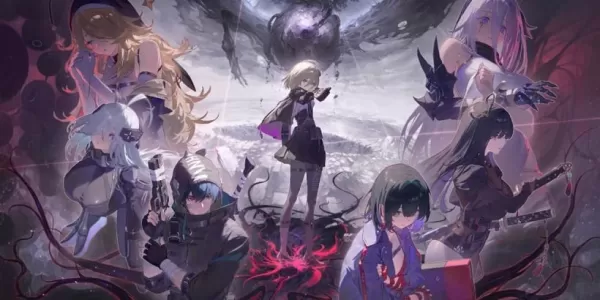
Chaos Zero Nightmare brings dark fantasy roguelike action to mobile, out now
Oct 08,2026

Lexar Play Pro MicroSD Express Memory Cards for Nintendo Switch 2 Are on Sale for October Prime Day
Oct 06,2026

Dunk City Dynasty Drops Early Release Date
Oct 05,2026

Marvel Rivals Tests Performance Boost
Oct 05,2026

Tower of God New World Marks 2nd Year with New Content
Oct 03,2026
 Category

 Download















Planning your dream trip? Our Ultimate Travel Planning Guide is packed with essential tips and tricks to make your journey smooth and stress-free. Discover helpful apps like Rajmargyatra, Satellite View Earth Globe Map for navigation, 13cabs - Ride with no surge for convenient transport, Map of Ethiopia offline for offline maps, gg (please specify the app's full name for better SEO), Unreserved: Bus Timetable App for bus schedules, Free To X: Cashback e Viaggio for cashback deals, SeguíTuBus for bus tracking, GO Rentals for car rentals, and Omio: Train and bus travel app for booking train and bus tickets. Find the perfect app for your travel needs and start planning your adventure today!
Map of Ethiopia offline
Unreserved: Bus Timetable App
13cabs - Ride with no surge
Free To X: Cashback e Viaggio
Rajmargyatra
GO Rentals
gg