
Grid Drawing for Artists: overlay customizable grids on any image with extensive options.
GridArt: The Ultimate Tool to Master Proportions and Accuracy in Your Art!
Welcome to GridArt!
Whether you're a budding artist or an experienced professional, GridArt enhances your drawing skills to create stunning artwork. This app is designed to simplify the grid drawing method, providing precision and ease. Overlay customizable grids on your images to effortlessly transfer them onto your canvas or paper.
What is the Grid Drawing Method?
The grid method is a classic technique that improves drawing accuracy and proportions. It divides your reference image and drawing surface into equal squares, letting you focus on one section at a time. This makes intricate details easier to replicate while keeping the overall composition perfectly proportioned.
Why Choose GridArt for Your Drawings?
For centuries, the grid method has helped artists simplify complex images. GridArt elevates this trusted technique with modern technology, offering versatile customization to fit your unique artistic style.
Customizable Grids: Select rows and columns, adjust line thickness and color, and add diagonal guides for extra precision.
User-Friendly Interface: Our intuitive design makes it simple to upload images, customize grids, and save your work.
High-Resolution Output: Export grid-overlaid images in high resolution, ideal for printing and reference.
How to Use GridArt
Follow these steps for the grid drawing method:
Select Your Reference Image: Pick the image you want to draw.
Overlay a Grid on the Image: Add a grid of evenly spaced vertical and horizontal lines. You can use any square size, with common choices being 1-inch or 1-centimeter squares.
Draw a Matching Grid on Your Surface: Create a corresponding grid on your paper or canvas, ensuring the number and proportions of squares match your reference.
Transfer the Image: Focus on one square at a time. Replicate the lines, shapes, and details from each reference square onto your drawing surface to maintain accurate proportions and placement.
Erase the Grid (Optional): Once your drawing is complete, gently erase the grid lines if desired.
Key Features of Grid Drawing
1. Draw grids on any image—select from your gallery and save for printout.
2. Create Square grids, Rectangle grids, or custom grids with your defined rows and columns.
3. Crop photos to any aspect ratio or predefined formats like A4, 16:9, 9:16, 4:3, or 3:4.
4. Toggle row-column and cell numbers with adjustable text size.
5. Use different grid label styles.
6. Draw grids with regular or dashed lines, and adjust line width.
7. Customize grid line color, opacity, and row-column number color.
8. Apply a sketching filter for easier drawing.
9. Grid drawing by measurement (mm, cm, inch).
10. Zoom in on images to capture every detail.
Follow us on Instagram @gridArt_sketching_app and contact us with any questions or suggestions. Use #gridArt on Instagram for a chance to be featured.
Last updated on Sep 14, 2024
# Screen lock added


Counterfeit Bank Simulator: Minting Solution for Economic Crises
Marvel Rivals: Season 1 Dracula Explained
Zenless Zone Zero Update Cycle Leak Hints at Future Content cadence
Albion Online launches Paths to Glory update with new content, boosted spawn rates, and more
All Mavuika Materials, Kit, and Constellations in Genshin Impact
Roblox: Anime Auras RNG Codes (January 2025)
Best Xbox Game Pass Games For Kids (January 2025)
Infinity Nikki: Comprehensive Guides, Walkthroughs, and Tips

Dunk City Dynasty Drops Early Release Date
Oct 05,2026

Marvel Rivals Tests Performance Boost
Oct 05,2026

Tower of God New World Marks 2nd Year with New Content
Oct 03,2026

Fantasy Online 2 is an upcoming retro pixel MMORPG releasing on Android
Oct 02,2026
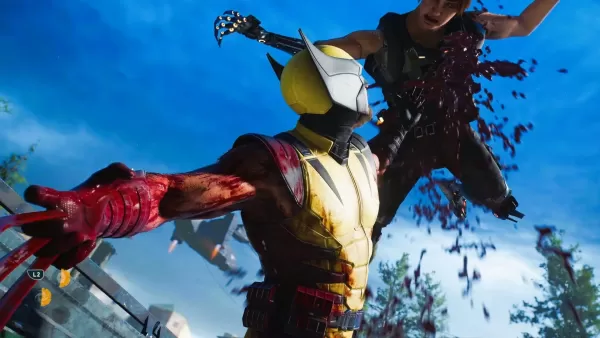
You Can Turn Off Wolverine PS5's Blood and Gore If You Want To
Oct 02,2026
 Category

 Download
















Planning your dream trip? Our Ultimate Travel Planning Guide is packed with essential tips and tricks to make your journey smooth and stress-free. Discover helpful apps like Rajmargyatra, Satellite View Earth Globe Map for navigation, 13cabs - Ride with no surge for convenient transport, Map of Ethiopia offline for offline maps, gg (please specify the app's full name for better SEO), Unreserved: Bus Timetable App for bus schedules, Free To X: Cashback e Viaggio for cashback deals, SeguíTuBus for bus tracking, GO Rentals for car rentals, and Omio: Train and bus travel app for booking train and bus tickets. Find the perfect app for your travel needs and start planning your adventure today!
Map of Ethiopia offline
Unreserved: Bus Timetable App
13cabs - Ride with no surge
Free To X: Cashback e Viaggio
Rajmargyatra
GO Rentals
gg