
Design custom cross stitch patterns with ease.
Cross Stitch Pattern Creator
Includes four free sample patterns. The download is complimentary; a $2.99 fee activates the full version.
For the best experience, a tablet is highly recommended due to the typical size of cross stitch patterns.
Start crafting your own unique cross stitch patterns using the Cross Stitch Pattern Creator.
To begin creating a pattern, select the "Create a Cross Stitch Pattern" button.
The Cross Stitch Pattern Editor will open. Use the grid to fill in squares with your chosen DMC floss colors.
You can even add custom colors if desired.
Getting started is simple: Use the pencil tool to fill squares in your pattern. Use the eraser tool to clear filled squares.
You can also choose from a library of over 80 decorative stamps and borders to apply to your design.
The button bar, from left to right, includes:
DMC Floss Color button – Select your desired floss color for stitching.
Save button – Save your pattern progress.
Pencil button – Fill in individual squares on your pattern grid.
Eraser button – Remove filled squares and backstitch lines from your pattern.
Backstitch button – First, choose a color for the backstitch. Then, use this button to add backstitch lines to your design.
Backstitch move button – Select an entire backstitch line and drag it to a new position.
Backstitch move stitch end – Select a backstitch to reveal blue handles on each end. Drag either handle to adjust the line's position.
Stamps button – Access a collection of small, pre-designed stamp motifs to add to your pattern.
Borders button – Choose from various borders that automatically wrap around the edges of your pattern.
Dropper button – Sample a color from your pattern to continue using it elsewhere.
Bucket button – Fill a contiguous area with your currently selected color.
Bucket+ button – Replace all instances of one color with your currently selected color.
Undo button – Reverse your last action in the pattern editor.
Redo button – Reapply any changes you have undone.
Selection box button – Drag to select a specific area of your pattern to edit.
Cut button – First, select an area with the selection tool. Then, cut it to remove that section from the pattern.
Copy button – First, select an area with the selection tool. Then, copy it to your clipboard for duplication.
Paste button – Paste a copied section onto your pattern and drag it to the desired location.
Rotate button – Rotate the selected area or the entire pattern.
Flip right/left button – Flip the selected area or entire pattern horizontally.
Flip top/bottom button – Flip the selected area or entire pattern vertically.
Zoom in button – Enlarge your view of the pattern.
Zoom out button – Reduce the view of the pattern.
Symbols button – Displays a unique symbol for each color to identify color values clearly.
Picture button – Import a photo from your device and convert it into a stitchable pattern.
Social media button – Share your completed pattern via email, text, or other social platforms.
Resize bars – Located at the bottom-right corner of your pattern. Drag these bars to adjust the overall dimensions of your canvas.
Option settings – Customize your workspace by changing the grid color, switching the fill style from solid to X's, or hiding the row/column counter.
Instruction page – Displays the DMC colors used in your project and the finished size for various Aida cloth counts.
Finished Product page – Preview your pattern as a simulated stitched piece. You can also change the background fabric color to visualize different finishes.


 범주
범주 
 다운로드
다운로드


















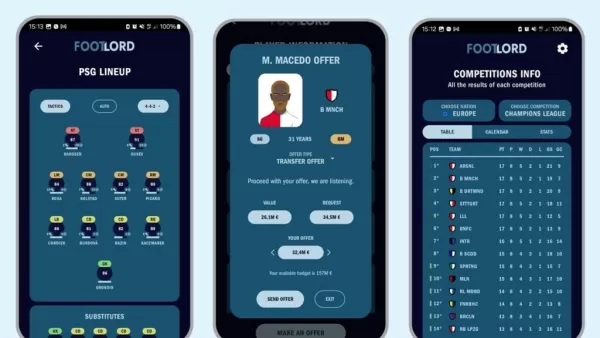


꿈의 여행 계획? 우리의 궁극적 인 여행 계획 가이드에는 여정을 매끄럽고 스트레스없이 만들기위한 필수 팁과 요령이 가득합니다. Rajmargyatra, Satellite View Earth Globe Map, Navigation for Navigation, 13CABS와 같은 유용한 앱을 발견 - 편리한 교통을위한 서지가없는 타기, 오프라인 맵을위한 에티오피아 오프라인지도, GG (더 나은 SEO를위한 앱의 전체 이름을 지정하십시오), 버스 일정에 대한 버스 timetable 앱, x : Cashback e, Cashback e, viaggio vighítubus, x. 자동차 임대 및 OMIO : 기차 및 버스 티켓 예약을위한 기차 및 버스 여행 앱. 여행 요구에 맞는 완벽한 앱을 찾고 오늘 모험 계획을 시작하십시오!
Map of Ethiopia offline
Unreserved: Bus Timetable App
13cabs - Ride with no surge
Free To X: Cashback e Viaggio
Rajmargyatra
GO Rentals
gg